
Whether you are trading your phone in, selling it privately, or maybe just gifting it to a close friend or family member, it is best to wipe all of your personal information off of the phone. This is a simple explanation of how to do just that!
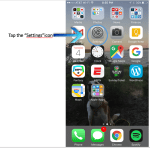
- Start off by going to the Home screen
- Tap on the “Settings” icon
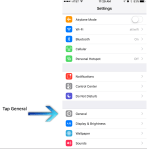
- Tap where it says “General”
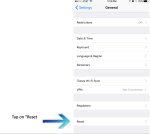
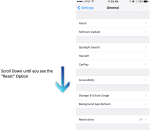
- Scroll down until you see the option “Reset” and then tap on it.
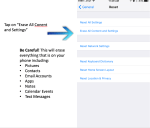
- Tap “Erase All Content and Settings” to wipe information from phone.
- If you are signed into iCloud on the phone and/or have a passcode on the phone it will ask you for that information before it erases your content.
Keywords and phrases: reset iPhone, how do I reset my phone? Wipe iPhone, erase phone, factory reset, data wipe
 Simplified Mobility